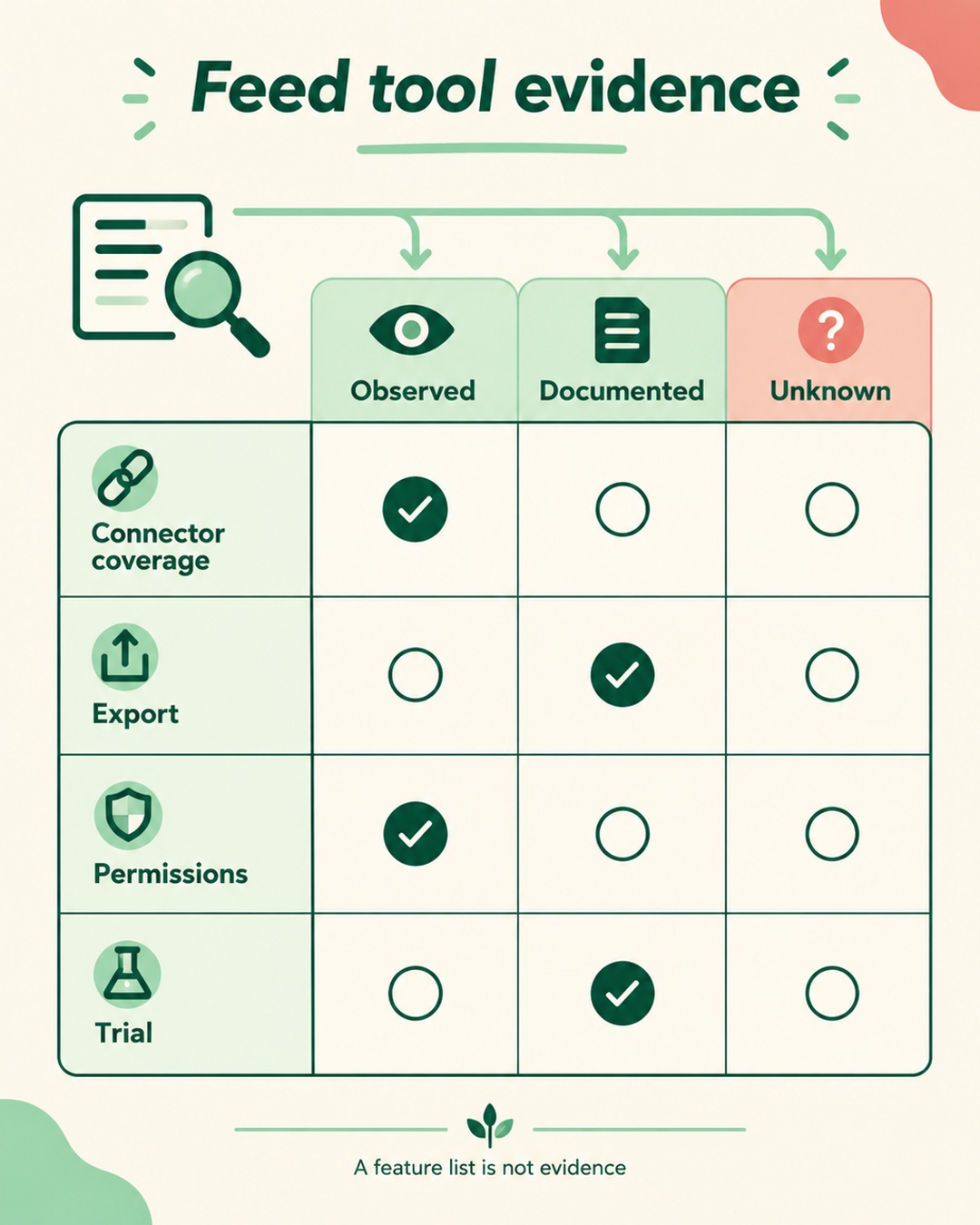
A feed tool should be bought as a procurement decision, not a logo comparison. The useful question is whether a connector can produce the right output for your account, preserve data you may need later, limit access, and fit the work your team will perform. Build evidence before signing.
Turn feature claims into evidence
Start with a brief that names each destination, account or marketplace scope, source system, variant structure, required transformations, team roles, export needs, and visible errors. Mark each requirement demonstrated, documented, or unverified. Ask for a walkthrough using a representative slice of your catalog. A screenshot or a destination logo is not coverage evidence.
- Connector and account scope
- Required fields and transformations
- Roles, credentials, and exports
- Subscription and manual work
| Area | Evidence | Acceptance question |
|---|---|---|
| Connector coverage | Live output from your account | Do required fields arrive correctly? |
| Portability | Downloadable export and mapping record | Can another system use it? |
| Permissions | Role definitions and audit record | Can access be limited and revoked? |
| Operating cost | Full bill and remaining tasks | What work remains after setup? |
| Trial | Observed results from test records | Can each failure be traced? |
This matrix gives procurement a record to compare after the demo ends.
Verify each connector in your account
Inspect the connector already installed in Shopify before assuming a paid layer is necessary. Native channels may support product selection, optimized titles and descriptions, and error diagnostics. The installed connector, destination, and account determine the real scope. Ask the vendor to show the current behavior with your data.
The Google product data specification requires accurate prices and availability that match the landing page and checkout, genuine identifiers, variant data, and product images. Data quality can affect eligibility. A validator can identify a data issue, but it cannot guarantee approval or higher ROAS. Policy and account problems need their own remedy.
TikTok advertising catalogs
TikTok's catalog product parameters document covers advertising catalogs in supported markets and accounts, not TikTok Shop seller onboarding. Check sku_id, title, description, availability, condition, price, link, image_link, and brand. Keep sku_id stable for updates. TikTok examples use availability values such as 'in stock' and 'out of stock', with spaces. Promotional text does not belong in the title. Price and stock must match the landing page, while links and images must be accessible. item_group_id is optional for grouping variants.
Amazon Listings Items
The Amazon Listings Items API guidance describes schema-based attributes from Product Type Definitions. Product type and marketplace determine required or conditional fields, enums, and types. Initial synchronous validation can accept a submission before asynchronous processing reports issues. Do not treat acceptance as proof of displayed content, buyability, Featured Offer status, or eligibility.
Test portability and permissions
Ask for a real export, not a promise that an export exists. Request the source ID, destination ID, mapped fields, rule values, status, errors, and timestamps. Ask which format is available, whether the file can be used without the service, and what happens to data after cancellation or connector removal. A usable exit record should let another operator understand the mapping without reconstructing it from screenshots.
Review permissions separately. Identify who can edit rules, connect destinations, view credentials, approve changes, download exports, and revoke access. Ask whether roles are distinct and whether an audit record shows changes. Test the least access needed for each role instead of judging controls from an administrator view.
Price the operating work
Calculate operating cost from the subscription and destination charges plus seats, implementation, support, manual review, correction work, migration, and exit effort. Record which tasks remain after automation. Use your own catalog and observed workflow instead of a universal SKU cutoff or a vendor's example. Shopify's installed channel may cover part of the need, so include its existing operating cost in the comparison.
Run a small acceptance trial
Use records that represent ordinary failure points. Include a product with variants, a changed price, a changed availability value, an incomplete field, and an item you intend to exclude. Compare each destination output with the landing page and checkout where relevant. Check the downloaded export, diagnostics, error trace, permissions, and removal process.
Hypothetical example: a retailer compares its installed native channel with a paid feed service for Google, a TikTok advertising catalog, and an Amazon marketplace. The team records the source values, runs the same test records through each connector, and notes what appears in each output. It does not call a submission successful merely because initial validation accepts it. The decision follows the observed coverage, portability, controls, and remaining work.
- Save the input values and landing URLs.
- Run the records through every destination in scope.
- Compare fields, statuses, and diagnostics.
- Test role access, export, and revocation.
- Document failures and unresolved destination issues.
FAQ
Does a Shopify connector remove the need for a paid feed tool?
Not automatically. An installed Shopify native channel may support product selection, optimized titles and descriptions, and error diagnostics. Check its actual destination and account behavior before paying for another layer.
Does feed validation mean a destination will approve the products?
No. Validation can identify formatting or data issues, but it cannot guarantee approval, eligibility, buyability, Featured Offer status, or higher ROAS. Policy and account remedies remain separate work.
What should procurement retain after the trial?
Keep the requirements matrix, input records, destination outputs, downloadable export, error notes, permission findings, cost assumptions, and cancellation terms. This evidence makes the decision reviewable and preserves an exit record.
Keep the evidence pack with the decision record.