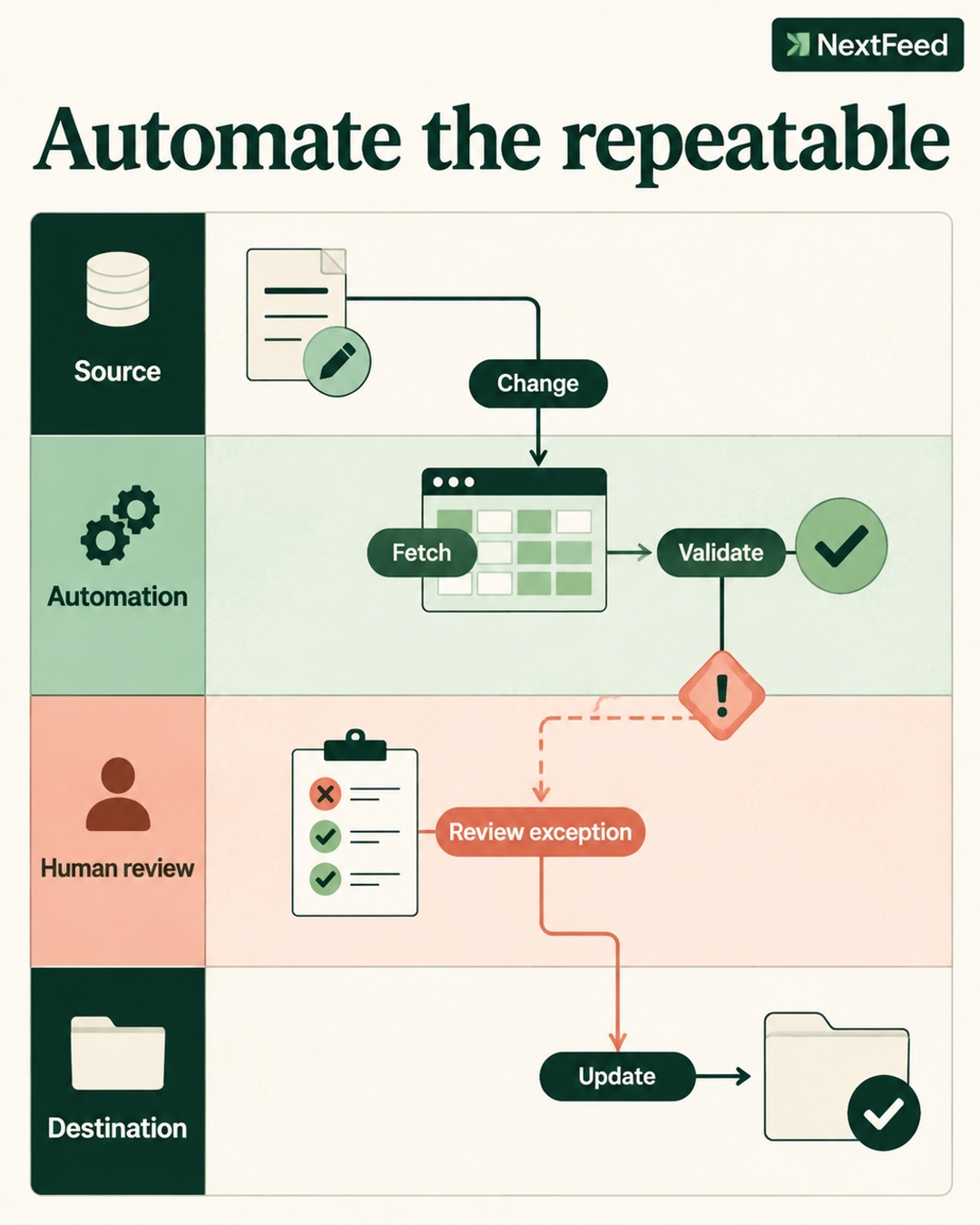
A scheduled product feed can complete successfully and still deliver stale catalog data. The request may have returned an old file, a cached API response, or an unchanged export. Feed health therefore has two separate questions: did the job run, and is the data fresh enough to use?
Why a successful fetch can be stale
A scheduler usually records transport status. It knows whether a request finished, a file was retrieved, or a connector returned a response. That status says little about when the source data was last updated.
A stale source can come from a delayed ecommerce export, a failed upstream inventory process, an expired connector token that returns the last available snapshot, or caching between the source and the feed system. The scheduled task may be operating exactly as configured while its input remains old.
Separate execution monitoring from freshness monitoring. Execution asks whether the workflow completed. Freshness asks whether the source timestamp, record changes, and critical product fields meet your operating threshold.
What freshness checks should measure
Start with the source timestamp. Store the time associated with the source file or API response, not only the time when your feed system downloaded it. A download at 10:00 does not make a file fresh if the file was generated at 02:00.
| Check | Question | Action when it fails |
|---|---|---|
| Source age | When was the data generated? | Alert the source owner |
| Change evidence | Did expected updates arrive? | Compare with the store |
| Critical fields | Do price and stock agree? | Hold or isolate affected items |
| Destination status | Did the channel process the data? | Review channel diagnostics |
Use field-level checks for price and availability because they can create immediate customer and advertising problems. Compare them with the product landing page and checkout where the channel requires that consistency. A product count check also helps identify a source that suddenly returns only part of the catalog.
Freshness is different on each destination
Channel rules are not interchangeable. A generic validator can confirm that a field exists, but it should also apply destination-specific requirements.
TikTok catalog data
TikTok's catalog product parameters documentation lists fields such as sku_id, title, description, availability, condition, price, link, image_link, and brand. Keep sku_id stable so updates continue to address the same item. Availability examples use values such as "in stock" and "out of stock," with spaces rather than assuming another platform's enum format.
Titles should not contain promotional text. Price and stock should match the landing page. Links and images need to be accessible. Optional item_group_id can group variants. These checks belong in the TikTok-specific validation layer, not in a generic assumption about every destination.
Google Merchant Center
Google's product data guidance expects accurate price and availability that agree with the landing page and checkout. Product identifiers, variant data, and images also affect data quality and eligibility. A validator can find mismatches and missing values, but validation alone cannot guarantee approval, eligibility, or improved advertising performance. Policy and account issues need their own investigation.
Amazon Listings Items
Amazon Listings Items accepts schema-based attributes based on Product Type Definitions. Product type and marketplace determine required fields, conditional fields, enums, and data types. Initial submission acceptance is not the same as displayed content, buyability, Featured Offer status, or eligibility. Amazon can report problems later during asynchronous processing, so the monitoring window must continue after the request returns.
Official references: TikTok catalog product parameters, Google Merchant Center product data, and Amazon Listings Items troubleshooting.
Assign ownership before an alert fires
Stale data often crosses team boundaries. The feed team may own transformation, validation, and delivery. The ecommerce platform team may own the store export. A supplier may own inventory data. A connector owner may control authentication or caching.
Record ownership for each source and define what an alert contains: source name, last fresh timestamp, affected fields, affected products, destination impact, and the person responsible for recovery. Avoid sending every issue to a shared mailbox with no action owner.
A practical recovery runbook
- Confirm the failure. Compare the fetched timestamp with the last known fresh response and the source of truth.
- Scope the risk. Identify whether stale data affects price, availability, links, images, or the entire catalog.
- Protect delivery. Hold risky changes or isolate affected products when stale price or stock could mislead shoppers.
- Repair the source. Ask the source owner to refresh the export, clear the relevant cache, restore the API, or resolve the connector issue.
- Fetch again. Store the new response timestamp and compare expected changes.
- Validate by destination. Apply the requirements for TikTok, Google, or Amazon rather than one shared rule set.
- Review processing. Check destination diagnostics after submission, including delayed processing results where applicable.
- Close with evidence. Record the repaired source, fresh timestamp, validation result, and any products still requiring review.
Hypothetical example: the green run with old stock
Imagine a hypothetical store where a scheduled connector fetches at 09:00 and reports success. The response contains a file generated at 01:00. During the morning, several products sell out, but the fetched availability remains unchanged.
The freshness check detects that the source timestamp is older than the store's threshold and compares a sample of products with the storefront. The feed team routes the alert to the connector owner, pauses delivery for the affected availability field, and requests a new export. The second fetch contains the updated stock. Destination-specific validation runs before the data is sent, and the team reviews channel processing results afterward.
The recovery did not begin with a retry button. It began by distinguishing a completed fetch from a trustworthy source.
Do not treat status as proof of catalog health
A reliable feed process monitors transport, freshness, validation, delivery, and destination processing as separate stages. This makes alerts more useful and ownership clearer. It also prevents a common mistake: assuming that a green scheduled job means the product content is current and correctly displayed everywhere.
Check the source timestamp, verify price and availability, apply channel-specific rules, and keep monitoring after submission. The goal is not to guarantee approval or performance. The goal is to know what happened, who owns the next action, and whether the data is fresh enough to use.
Frequently asked questions
What is the difference between a successful fetch and fresh data?
A successful fetch means the request or scheduled task completed. Fresh data means the response was generated recently enough and reflects the expected changes in the source system. Both conditions need separate checks.
Who should receive a stale-source alert?
Send it to the owner who can repair the source layer, such as the ecommerce platform, PIM, supplier, or connector team. Include the source timestamp, affected fields, product scope, and destination impact so the owner can act.
Does validation guarantee channel approval?
No. Validation can identify missing, inconsistent, or incorrectly formatted data. Google policy and account issues, Amazon processing outcomes, and destination eligibility require separate checks. A valid submission is not a guarantee of approval, display, buyability, or performance.