Black Friday Feed Prep: The Checklist That Actually Prevents Peak-Season Breakage
M
Muhammad Norafif
Oct 8, 202616 min read
TL;DR
Peak season fails on accumulated data debt, not on one outage. October is the last month where you can both find and fix it. Fix the pipeline in October, freeze material changes in November, run the busiest weeks on a stable, known-good feed. Freezing matters because you cannot attribute or debug during peak traffic — too many variables move at once. Audit price and availability against the landing page and checkout, not just against your source export. Availability is the field that hurts most: a stale stock signal turns paid clicks into dead ends. Close out open disapprovals and warnings in October; a fix that needs a review is not a same-day fix. If a late-October audit finds deep problems, a smaller stable catalog beats a large broken one.
In this insight:
Peak season fails on accumulated data debt, not on one outage. October is the last month where you can both find and fix it.
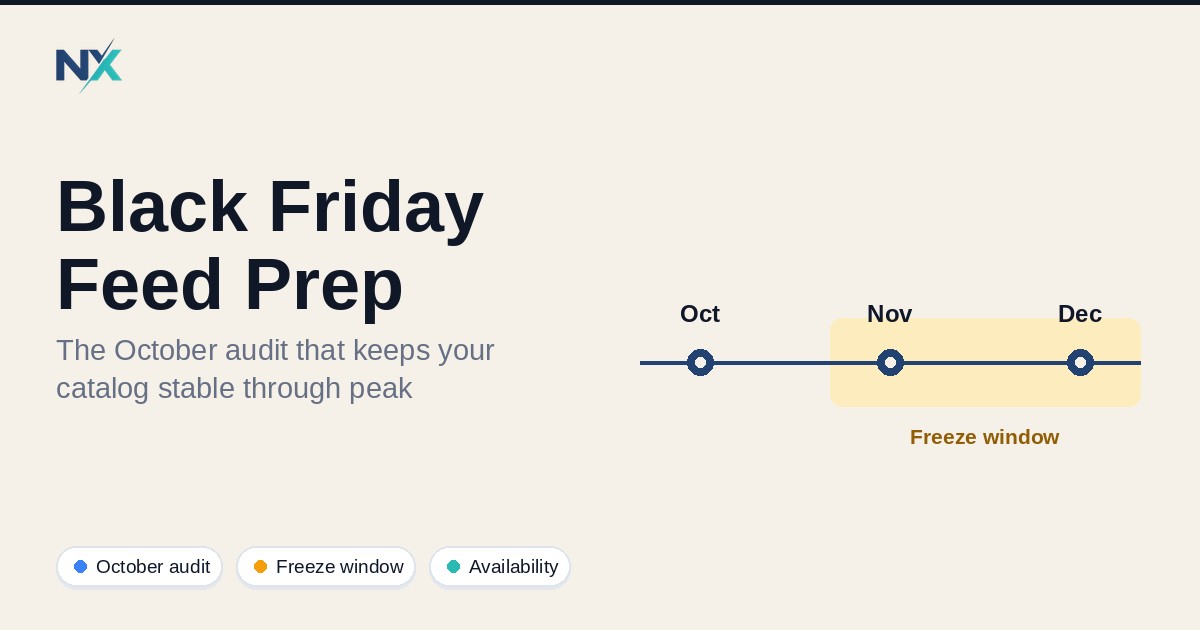
Fix the pipeline in October, freeze material changes in November, run the busiest weeks on a stable, known-good feed.
Freezing matters because you cannot attribute or debug during peak traffic — too many variables move at once.
Audit price and availability against the landing page and checkout, not just against your source export.
Availability is the field that hurts most: a stale stock signal turns paid clicks into dead ends.
Close out open disapprovals and warnings in October; a fix that needs a review is not a same-day fix.
If a late-October audit finds deep problems, a smaller stable catalog beats a large broken one.
Peak season rarely breaks a feed in one dramatic moment. It breaks the feed you stopped looking at in September. A catalog that was "good enough" in a quiet month meets the highest-traffic weeks of the year carrying unresolved data debt — a price that drifts, a stock signal that lags by a day, a GTIN that was never quite right — and every one of those small inaccuracies gets amplified by volume. The window to find that debt is October, while you still have time to fix it and before you want to stop changing things. This is a checklist for that window: what to audit, what to freeze in November, and how to tell when the honest answer is a smaller catalog rather than a bigger one. The goal is not a number. It is fewer avoidable surprises and a feed you can actually attribute.
## TL;DR
- Peak season fails on accumulated data debt, not on one outage. October is the last month where you can both find and fix it.
- Fix the pipeline in October, freeze material changes in November, run the busiest weeks on a stable, known-good feed.
- Freezing matters because you cannot attribute or debug during peak traffic — too many variables move at once.
- Audit price and availability against the landing page and checkout, not just against your source export.
- Availability is the field that hurts most: a stale stock signal turns paid clicks into dead ends.
- Close out open disapprovals and warnings in October; a fix that needs a review is not a same-day fix.
- If a late-October audit finds deep problems, a smaller stable catalog beats a large broken one.
## Why peak season breaks feeds that worked in October
A feed is a contract between your catalog and a destination. When volume is low, small breaches of that contract rarely surface. A price that is a few cents off, a variant that reads in stock when it is not, a title that is one word too thin for a query — none of these cost much when only a few hundred people see the listing. In the busiest weeks, the same errors meet millions of impressions, and the cost scales with them.
The 2026 calendar concentrates this. Black Friday falls on Friday, November 27, and Cyber Monday on Monday, November 30. But the ramp starts earlier than that: Amazon's Prime Big Deal Days runs October 6–7, and the broader promotional period now stretches across weeks rather than a single weekend. By the time late November arrives, your feed has usually been under load for a month. That is exactly why the audit belongs in early-to-mid October — after the fall sales give you a first real signal, and well before the traffic that would punish an unfixed problem.
None of this is exotic. Nobody's feed fails because of a mysterious force. It fails on ordinary, known attributes that were never verified at the destination.
## The freeze window: fix in October, freeze in November
The working logic is simple. October is for change: audit, fix, re-submit, re-verify. November is for stability: run the peak on the feed you have already proven.
**Freeze means stop making material changes.** Not "stop working." It means you stop shipping alterations to the things that carry the most risk if they go wrong at the worst time: identifiers, price and availability logic, feed structure and mapping, and anything that requires a merchant review to clear.
### Why freezing actually matters
You freeze because you cannot attribute or debug during peak traffic. If impressions fall on November 28, you need to know what changed. If you have been shipping feed changes all month, you do not know. The candidate causes are every change you made, plus every destination-side variable, plus demand. You cannot isolate a single cause from that, and you cannot afford a clean A/B test during the highest-value fortnight of the year.
A frozen feed gives you a known baseline. When something moves, you can tell whether it moved because the feed changed (it did not — it was frozen) or because something else did. That is worth more than any speculative improvement you might squeeze in late.
Two cautions on the freeze itself. First, do not stop refreshing. A frozen feed still needs its data refreshed on schedule — Google, for example, expires products that go too long without an update, and a scheduled fetch defaults to roughly every 24 hours. Freezing means freezing the *logic and structure*, not the freshness of price and stock. Second, plan the freeze date deliberately and put it in writing. "The freeze starts on the first of the month" is a decision someone has to make and record, not an assumption everyone half-remembers.
## The pre-peak audit checklist
Run each item against the destination's own tools, not against your export file. Your export can be internally consistent and still wrong at the landing page.
### 1. Price and availability consistency
The price and availability in your feed must match the price and availability on the landing page, in your structured data, and at checkout. Google's product data specification and its landing page requirements treat these as one consistent set, and a mismatch can lead to a product-level disapproval or a preemptive item disapproval. This is the single highest-value check you can run in October.
Pick your top revenue SKUs by traffic, not by catalog order, and open each landing page yourself. Confirm the price shown, the stock state, and what happens when you add to cart. Do it on mobile too — pricing that renders differently by device or location is a known source of mismatches.
### 2. Out-of-stock handling
Decide, in advance, what your feed sends when stock is genuinely unavailable, and confirm it matches the spec's controlled vocabulary. Google accepts `in_stock`, `out_of_stock`, `preorder`, and `backorder`. Each has a specific meaning: `preorder` is for unreleased products, while a temporarily unavailable item you are still accepting orders for is `backorder`, and an item you are not accepting orders for is `out_of_stock`.
Then check the failure mode that matters at peak: what does your export write when the source system genuinely has no stock value? A blank or unsupported value is not a neutral state. Confirm your mapping resolves every source value to a supported one deliberately, and that the landing page shows the same state the feed claims.
### 3. Image and title completeness
Two categories of gap live here: missing values and weak ones. A required image that is absent or points at a page rather than an image file is a straightforward failure. A title that is too thin to match real queries is a quieter one.
On images, know the spec you are targeting: Google's product data specification requires a main image of at least 500 x 500 pixels from January 31, 2027, with warnings active from April 14, 2026, and recommends around 1500 x 1500 pixels for best performance across formats. If your catalog still carries small or low-quality images, that is exactly the kind of data debt to clear now.
On titles, use the field's full allowance rather than the minimum. Google's title attribute allows 1–150 characters, and a specific, accurate title with brand and key attributes front-loaded does more work than a bare product name.
### 4. Disapprovals and warnings still open
Open the diagnostics or "needs attention" view in each destination and work the list to zero — or, where zero is not achievable, to a written explanation for each remaining item. The trap is time: many issues require a review, and reviews are not instant. An account-level review can take business days, and a failed review can trigger a cooldown before you can request another.
That timing is the whole reason this is an October task. A disapproval you discover on November 25 is a disapproval you live with through peak. A disapproval you find on October 10 is one you can clear.
### 5. Identifiers still correct
Unique product identifiers — GTIN, brand, MPN — are what let a destination match your product to the wider graph. They are also the field most likely to have drifted through a platform migration or a variant restructure during the year.
Check the structural facts: each variant needs its own identifier, the GTIN format is valid (8, 12, 13, or 14 digits), and it belongs to the product it is attached to. Where a product genuinely has no identifier — custom, handmade, vintage, or store-exclusive goods — the correct signal is the `identifier_exists` attribute set to `no` or `false`, paired with a brand and an MPN. Do not use that flag to paper over a missing GTIN on a product that has one; Google treats that as a conflicting signal, and it can attract account-level attention.
### 6. Shipping and returns attributes present where the channel expects them
Shipping speed and cost are among the most common reasons a shopper abandons a product, and return terms are part of the promise a listing makes. Both can be configured at the account level, and both can be overridden at the offer level — Google's `shipping` and `returns` attributes exist for exactly that.
The audit question is not "do we ship?" but "does the data the destination holds match what the customer will be told at checkout?" If you run account-level shipping settings, confirm they cover every country you now sell into. If you override at the offer level for bulky, fragile, or special-order items, confirm those overrides are still accurate after any price or packaging change. For returns, confirm the window, method, and any fees in the data match your published policy.
### 7. Promotions and the price-consistency trap
This is where careful merchants outsmart themselves. There are two different mechanisms, and they are not interchangeable.
**Sale price** lowers the price of a single item and is handled by the `sale_price` attribute, with `price` continuing to carry the original. For the annotation to surface, the landing page must display both the original price and the active sale price, with the sale price most prominent. Google's sale-price annotation requirements also include discount thresholds — greater than 5% and less than 90%.
**Promotions** are a separate feature with their own specification, linked to products through the `promotion_id` attribute. Google's promotions policies are explicit that discounts must not already be shown on the product landing page; the price in the ad or listing must match the landing page, and the promotion is applied at checkout or point of sale.
The trap follows directly. If you fold a discount into the `price` you submit *and* submit a promotion, the customer's expected discount is counted twice, and the price on the ad no longer matches the landing page. If you submit a `sale_price` while the landing page shows only the final price with no struck-through original, the annotation fails its requirements. Decide, per campaign, which mechanism you are using, and make the landing page tell the same story the feed does.
### Use the validator where it saves you time
Before you re-submit a corrected feed, run the whole file once rather than spot-checking. NextFeed's free product feed validator (nx-feed.com/free-product-feed-validator) checks critical fields, identifiers, and optimization hints against Google Merchant Center, Meta, and TikTok requirements, and accepts CSV, TSV, or XML. It is a fast way to catch the structural errors before a destination does — then you can spend your scarce October attention on the judgement calls, like promotions and stock logic.
## Availability is the field that hurts most at peak
Most feed fields fail quietly: a weak title costs you relevance, a thin description costs you conversion. Availability fails *loudly*, and that is why it deserves the most attention.
Think of the path a shopper walks: a listing is eligible and shows; they click; they land on a page where the item can actually be bought. Every step depends on the previous one, and a stale stock signal breaks the chain at the worst point — after the click.
A feed that still says `in_stock` when the item sold out yesterday keeps the listing eligible and keeps generating clicks. Those clicks land on a page that says out of stock, or a cart that refuses the add. The shopper does not blame the feed; they leave. You paid for the click and got nothing, and the mismatch can also register as a price or availability inconsistency at the destination, which is a second problem on top of the lost sale.
The reverse error is just as damaging in a different way. A feed that says `out_of_stock` on an item you can actually sell suppresses a listing you should be winning with. Both directions come from the same root cause: the gap between when stock changes in your source system and when that change reaches the destination. Shrink that gap before peak — a more frequent scheduled fetch, or an event-driven push on stock changes — and you remove the failure mode entirely rather than discovering it at volume.
## What to freeze and what you may still touch
The freeze is not a wall; it is a gate with a clear rule: things that are invisible to the destination and reversible stay open, things that are visible and need review close.
| Area | Freeze from November | Still safe to touch |
|---|---|---|
| Price and availability logic | Yes — the mapping and refresh mechanism | The underlying data, on its normal refresh schedule |
| Identifiers (GTIN, brand, MPN, `identifier_exists`) | Yes | Nothing — treat these as locked |
| Feed structure, mapping, attribute rules | Yes | Nothing that changes what the destination receives |
| Titles and descriptions | Treat as frozen | Fixing a clear error on a top SKU, one at a time |
| Images | Treat as frozen | Swapping a broken image URL for a working one |
| Promotions and sale price | Freeze new campaigns | Existing campaign start/end dates already scheduled |
| Internal analysis, reporting, alerts | No | Everything — this is where your effort should go |
| Landing page content | No | Copy and layout that do not affect price, stock, or ID |
## The verification record
A checklist is only as good as its record. For each check, write down the evidence you actually observed and name the person who owns it. "We checked the feed" is not evidence. "Pulled the top 50 SKUs by traffic on 12 October, opened each landing page and checkout, no mismatches found" is evidence.
| Check | Evidence | Owner |
|---|---|---|
| Price matches landing page and checkout | Dated screenshot list for top 50 SKUs by traffic | Ecommerce lead |
| Availability matches landing page | Same list, stock state recorded per SKU | Ecommerce lead |
| Out-of-stock mapping resolves to supported values | Export of unmapped source values, count zero | Feed owner |
| Images meet size and format requirements | Validator report, count of failures | Feed owner |
| Titles use full field allowance | Count of top SKUs below target length | Merchandising |
| Disapprovals and warnings cleared | Destination diagnostics exported, open count zero | Account owner |
| Identifiers correct per variant | Sample of 100 variants, GTIN format validated | Feed owner |
| Shipping and returns attributes match policy | Country coverage list, override audit | Operations |
| Promotion vs sale price mechanism decided | Written per-campaign decision | Marketing lead |
Keep this record. If something does go wrong in November, it tells you what was true at the start of peak — which is the difference between debugging and guessing.
## When to scale back ambition
Sometimes the October audit does not come back clean. If you find deep problems late in the month — identifiers broken across a large share of the catalog, availability you cannot trust, a mapping you do not understand — the honest move is to scale back.
A smaller catalog that is accurate beats a large catalog that is broken. Feed the destination the subset you can verify: the SKUs with clean identifiers, confirmed stock, and prices that match. Suppress the rest while you fix them. Yes, this looks like turning off traffic. In practice it is choosing which traffic to keep: better a smaller set of listings that can actually be bought than a large set generating clicks that dead-end. A destination that trusts your data serves it better than one that keeps finding mismatches.
Say this plainly to whoever needs to hear it: the goal for peak is not maximum catalog breadth. It is a floor that holds.
## FAQ
**When exactly should we run this audit?**
Early-to-mid October. Amazon's Prime Big Deal Days gives you a real traffic signal on October 6–7, and you want weeks between the audit and Black Friday (November 27) to fix and re-verify. Fixes that need a destination review take business days, so late October is already tight.
**Can we still change the feed in November?**
You can still refresh price and availability data — a feed that stops updating goes stale and products expire. You should not change the logic, structure, identifiers, or anything requiring a review. Freeze the mechanism, keep the data fresh.
**What is the single most important check?**
Price and availability consistency against the landing page and checkout. It is the most common cause of product-level disapprovals, and it is the one a live shopper experiences immediately.
**Can a promotion and a sale price be used at the same time?**
They are different mechanisms. Sale price lowers a single item's price and needs both the original and the sale price shown on the landing page. Promotions are applied at checkout and must not already be reflected on the landing page. Running both without deciding which one applies to a given price is how the ad price stops matching the page.
**How do we know a fix actually worked?**
Verify at the destination, not in your export. Check the product's status in the channel's own diagnostics, and re-crawl or re-fetch. A submitted change is not a processed one.
**What if we cannot fix everything before the freeze?**
Scale back. Run peak with the verified subset and suppress the rest. A smaller stable catalog is a better outcome than a large broken one.
## Keywords
Black Friday feed prep, Cyber Monday product feed, peak season feed checklist, feed freeze window, Google Merchant Center availability attribute, price and availability mismatch, preemptive item disapproval, product feed audit, GTIN and identifier_exists, shipping and returns attributes, sale price vs promotions, product feed validator, ecommerce feed management
## Editorial note
Written by the NextFeed team. NextFeed builds product feed management software for Shopify, Google Shopping, Meta, and other commerce channels. This article describes publicly documented requirements from the Google Merchant Center product data specification, promotions data specification, and related help pages. It does not guarantee approval, eligibility, review outcomes, or display on any surface — those depend on destination rules, account conditions, and factors outside a feed's control. Verify all attributes and dates against the current official documentation for the destinations you operate.
Free tool
Not sure if your feed has errors?
Run your Google Shopping, Meta, or TikTok product feed through our free validator and get a prioritized error report before channels reject your products.
Black Friday feed prepCyber Monday product feedpeak season feed checklistfeed freeze windowGoogle Merchant Center availability attributeprice and availability mismatchpreemptive item disapprovalproduct feed auditGTIN and identifier_existsshipping and returns attributes
Editorial note
Written by Muhammad Norafif
This article was published on October 8, 2026 and last updated on October 8, 2026. NextFeed builds product feed management software for Shopify, Google Shopping, Meta, and other commerce channels.