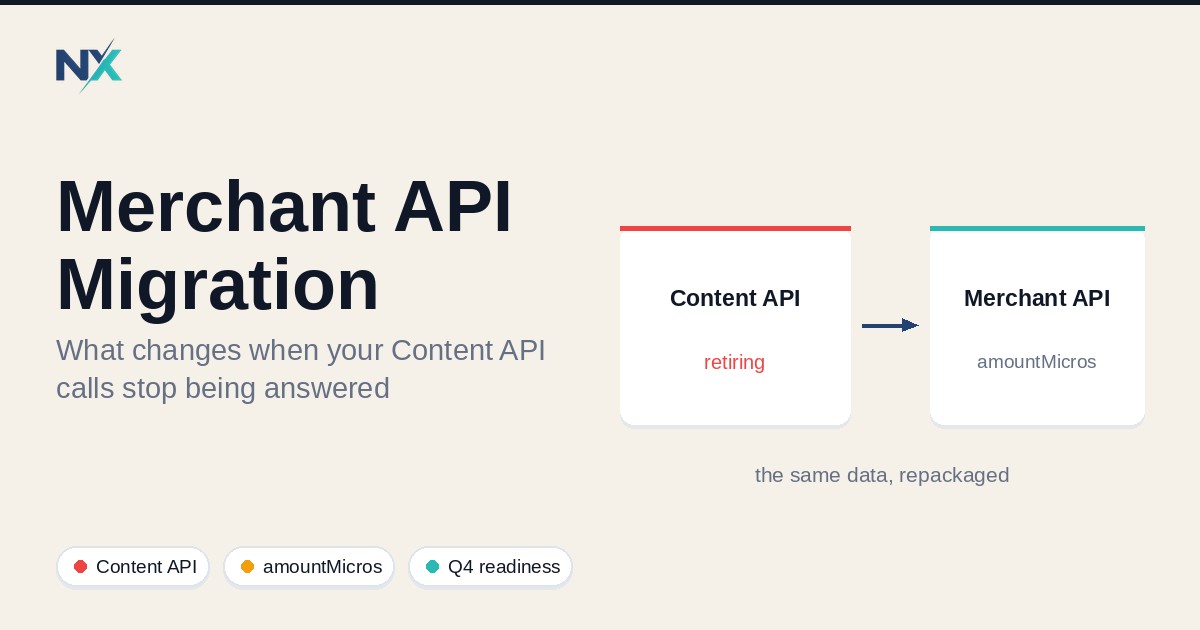
The Content API for Shopping is not deprecated in the soft sense developers usually mean. It reached its published sunset on August 18, 2026, and Google now fails unregistered requests intermittently with HTTP 410 Gone.[1] Anyone running a direct integration — a cron job that pushes prices, a script that updates stock, an agency-maintained feed pipeline — is operating on borrowed time. The replacement, Merchant API, changes more than the URL: it changes the identifier model, the batching model, and the shape of the Price type. This is the small-team version, built from Google's own documentation, flagging the field changes that break integrations and the points the docs leave ambiguous.
TL;DR
- Content API for Shopping was sunset on August 18, 2026; since September 1, 2026, requests without an active extension fail intermittently with HTTP 410 Gone, with full decommissioning expected in early 2027.[1]
- Merchant API comprises multiple sub-APIs: migrate one at a time against
https://merchantapi.googleapis.com/{SUB_API}/{VERSION}/{RESOURCE_NAME}:{METHOD}.[2][5] price.value(decimal string) andprice.currencybecomeprice.amountMicros(int64) andprice.currencyCode; 1,000,000 micros equals one currency unit, so15.99 USDbecomes15990000.[2][3]- Resource IDs become hierarchical
namevalues (accounts/{account}/products/{product}); product IDs move from colon delimiters (channel:contentLanguage:feedLabel:offerId) to tilde delimiters (contentLanguage~feedLabel~offerId).[2][7] customBatchis not supported in Merchant API; bulk work moves to parallel asynchronous calls.[2]- A successful
productInputs.insertis not approval. Google states approval status must be read fromproduct.productStatus.[7] - If your data reaches Merchant Center through a third-party platform provider, that provider performs the migration; direct in-house integrations are the ones that must act.[1]
What actually changed, and the dates
The timetable
Google's deprecation page states the Content API for Shopping "officially reached its sunset on August 18, 2026," and directs all developers to migrate to Merchant API.[1] What follows is phased degradation rather than an instant switch-off.
| Date | Milestone | Detail |
|---|---|---|
| August 18, 2026 | Sunset | Service is sunset; developers must migrate.[1] |
| September 1, 2026 | Progressive degradation | Requests without an active extension begin intermittently failing with HTTP 410 Gone.[1] |
| Early 2027 | Decommissioning | Full shutdown; all endpoints are turned down and all requests fail.[1] |
Three states matter and are not interchangeable. Sunset ends supported operation; degradation is the error-injection phase for projects without an extension; decommissioning is the full shutoff, whose timing Google notes is subject to revision based on ecosystem migration progress.[1] A rejected request's payload carries the reason content_api_sunset and your Google Cloud project ID and number.[1] The failure is intermittent, which makes "it worked yesterday" a meaningless signal.
Google publishes an extension request form; approved extensions protect a project from scheduled error responses through the approved window, but "extensions don't extend past final decommissioning in early 2027."[1]
Who is on the hook
Google is specific. Custom API integrations — "internal tools, scripts, or custom software that makes direct calls to the Google Content API for Shopping" — must be updated.[1] Third-party platforms are handled by the provider: "if you access Merchant Center through an ecommerce platform, your platform partner manages the migration on your behalf."[1] The migration guide repeats this for feed partners, naming the Google & YouTube app on Shopify.[2]
The consequence for a small team: the risk lives in code you own and have forgotten — the nightly sync nobody rewrote, the inventory job an agency inherited, the reporting script a contractor left behind. Platform-managed feeds are the safe case; bespoke pipelines are the exposure.
What I could not verify
Several widely repeated claims did not appear in the primary pages I read. The claim that Merchant API v1beta was discontinued on February 28, 2026 is not in Google's deprecation or migration pages. Specific extension-window dates (an October 15 or December 31, 2026 cut-off) are not there either — the docs state only that extensions do not extend past early 2027.[1] Whether the OAuth scope is unchanged appears in secondary coverage but not the primary pages. Verify all three against Google's current release notes before relying on them.
The field-level changes that break integrations
Treating this as a URL swap is the standard mistake. Google's migration guide states that full backward compatibility is not guaranteed "due to the improved design," and that field names or method availability may differ for the same resource.[2]
Price: value to amountMicros plus currencyCode
This change is the most likely to succeed silently and produce wrong data. In Content API v2.1, Price is { "value": string, "currency": string }, where value is "the price represented as a number" — for example "15.99".[4] In Merchant API it is { "amountMicros": string, "currencyCode": string }, where amountMicros is "the price represented as a number in micros (1 million micros is an equivalent to one's currency standard unit, for example, 1 USD = 1000000 micros)."[3] The guide is explicit that the amount field changed name from value to amountMicros and the currency field from currency to currencyCode, with the currency remaining ISO 4217.[2]
// Content API for Shopping (v2.1)
{ "price": { "value": "15.99", "currency": "USD" } }

// Merchant API v1
{ "price": { "amountMicros": "15990000", "currencyCode": "USD" } }
The trap is the type: amountMicros is an int64, not a decimal string. A rename that maps the old value straight onto the new field sends "15.99" into an integer field, which is not fifteen dollars and ninety-nine cents. Google's own sample builds the value as an integer count — setAmountMicros(33_450_000).setCurrencyCode("USD"), or 33.45 USD.[2] The conversion is a multiplication by one million and belongs in one tested function, never inlined. Rounding must be deliberate, because currency subunits do not all divide cleanly into micros.
Identifiers: id to name, colon to tilde
Content API uses loose IDs like merchantId and productId; Merchant API uses a hierarchical name that "includes the resource identifier and its parent," in the form accounts/{account}/products/{product}.[2] Within the product identifier the delimiter changes: "in Content API for Shopping, a colon (:) denotes a delimiter in product name whereas in Merchant API, a tilde (~) performs this function," and the channel segment is dropped.[2] channel:contentLanguage:feedLabel:offerId becomes contentLanguage~feedLabel~offerId.[7]
Google's documented example: retrieving product en~US~1234 from account 4321 becomes GET https://merchantapi.googleapis.com/products/v1/accounts/4321/products/en~US~1234, where the name equals accounts/4321/products/en~US~1234.[2] The guidance is to read name from the response and store it — to "implement a getName() method to retrieve the name from a resource, and store the output as a variable instead of constructing the name from the merchant and resource IDs yourself."[2] Any hand-built identifier is now coupled to a format Google controls. Child resources follow the same pattern, addressed by a parent field rather than loose IDs.[2]
Batching and registration
Merchant API "doesn't support the customBatch method featured in the Content API for Shopping."[2] The replacement is parallel asynchronous calls, and Google recommends a channel pool to bypass the typical 100-stream limit of a single gRPC channel.[2]
Separately, Merchant API requires the Cloud project and Merchant Center account to be linked through Developer Registration: POST https://merchantapi.googleapis.com/accounts/v1/accounts/{ACCOUNT_ID}/developerRegistration:registerGcp with a developer_email.[2] The resource exposes registerGcp, unregisterGcp, getDeveloperRegistration, and getAccountForGcpRegistration to confirm state.[6] It is per project, so a multi-project setup with one registered project fails in ways that look like permission bugs.
A migration checklist for a small team
This sequence assumes you own the integration; if a platform provider owns it, confirm their migration status in writing instead.
- Inventory every call site. Search the whole codebase for the old hostname and the client libraries that hide it, including scheduled jobs, ad scripts, and anything an agency wrote. Every match is a caller to migrate or remove.
- Identify which endpoints you use. Merchant API is modular, so you migrate one sub-API at a time — products, inventories, accounts, data sources, reports — rather than in a single cut-over.[2]
- Register the Cloud project. Run
registerGcpfor each project you authenticate from before writing migration code.[2][6] Do this first; it blocks everything else. - Map old fields to new. Write the mapping down where reviewers can check it:
valuetoamountMicros,currencytocurrencyCode,productIdtoname, colon to tilde,customBatchto parallel async calls.[2][3][4] - Isolate the currency and amount conversion. Put the micros conversion in one tested function, assert against a fixture of real catalog prices, and never inline the multiplier. This is the change that can pass every test and still ship wrong numbers.
- Update validation. Your own validation likely enforces the old shapes — a decimal-string price, a colon-delimited ID. Update it in the same change or it will reject correct new payloads.
- Test against a non-production account or a small data set. Insert a handful of products, read them back, and confirm the persisted
productAttributesmatch intent. The fields returned byproductInputs.insertreflect your input values, while the persisted processed values "might differ."[7] - Run both APIs side by side, then cut over. Google designed Merchant API to work alongside an existing Content API integration.[2] Write through Merchant API, read back through both, diff, then retire the old path. Once migrated, Google recommends using only Merchant API for that sub-API.[2]
Why this matters for Q4
An integration that starts erroring during peak season is the worst possible timing, and the current failure mode makes that likely. Degradation is intermittent: some requests succeed, some return 410 Gone.[1] A normal week absorbs that. Across November and December it becomes a catalog that drifts — prices that stop updating, stock that goes stale, listings that fall out of the surfaces your campaigns depend on — exactly when you cannot afford a debugging project.
The arithmetic points the same way. Sunset has passed; degradation began September 1, 2026; decommissioning is scheduled for early 2027.[1] A team starting in January migrates under a full shutdown. A team starting now migrates while an extension is still available as a safety net — and an extension you have not applied for protects nothing. Move deliberately rather than fast: a wrong micros conversion produces no error, only a catalog that looks operational and is priced incorrectly.
What this does not change: accepted is not live
The migration changes the transport, not the destination. A clean HTTP 200 from productInputs.insert means the request was accepted, nothing more.
Google states this directly: "A successful product input insertion does not mean the corresponding product is approved to show on Google; the approval status can be read through the product.productStatus field."[7] The same guide notes the insert response reflects input values while the persisted productAttributes "might differ."[7] The productInputs reference is equally clear: it "represents input data you submit for a product, not the processed product that you see in Merchant Center, in Shopping ads, or across Google surfaces."[8]
Keep four states separate: submitted (you sent it), accepted (the API took it), processed (Google built the product), and approved/eligible (it can serve). Only the last is what the business cares about, and only productStatus and its destinationStatuses tell you that.[7] A migration verified only at "accepted" has verified the least important state. The docs also recommend refreshing products at least every 30 days to avoid expiration.[7]
Verification record
Complete this; every row needs evidence, not an assertion.
| Check | Evidence | Owner |
|---|---|---|
| Call-site inventory complete | Search results for every old hostname and client-library reference, each mapped to a sub-API or marked removed | Integration lead |
| Cloud project registered | Successful registerGcp response plus getDeveloperRegistration output per project[2][6] |
Platform/DevOps |
| Price conversion validated | Real catalog price fixtures passing through the single micros function; spot-check against amountMicros in responses[2][3] |
Backend engineer |
| Identifier handling updated | Code reads name from responses; no hand-built identifiers; colon-to-tilde mapping reviewed[2] |
Backend engineer |
| Batching refactor complete | customBatch removed; parallel async calls demonstrated, throughput noted[2] |
Backend engineer |
| Side-by-side diff clean | Read-back diff between old and new paths on a sample of live offers[2] | QA / integration lead |
| Approval state confirmed | product.productStatus and destinationStatuses checked on migrated products, not just insert success[7] |
Integration lead |
| Refresh cadence in place | Scheduled job refreshing products at least every 30 days, with alerting[7] | Platform/DevOps |
| Extension filed if needed | Confirmation of submitted extension request if migration is incomplete[1] | Owner / account lead |
For teams rebuilding a pipeline, NextFeed also provides programmatic access to feed and catalog operations alongside its managed channel syncs — relevant if you would rather consume an API than own the registration, batching, and identifier handling above.
FAQ
When exactly does the Content API for Shopping stop working? Google states it reached sunset on August 18, 2026, began intermittently failing requests without an active extension on September 1, 2026, and schedules full decommissioning for early 2027.[1] Plan for failures today, not for a single date.
Is there still an extension available? Yes. Google publishes an extension request form, and approved extensions protect a project through the approved window — but not past final decommissioning in early 2027.[1] I could not verify any specific extension dates in the primary documentation.
What is the single most dangerous change?
The Price type. The amount moves from value (a decimal string) to amountMicros (int64, where 1,000,000 micros equals one currency unit), and currency becomes currencyCode.[2][3][4] A rename without the unit conversion can return a successful response and persist an incorrect price, so isolate the conversion in one tested function.
Do Shopify or WooCommerce merchants need to do anything? Google states merchants using a third-party technology partner to sync product data — such as the Google & YouTube app on Shopify — do not need to act, because the provider handles the migration.[1][2] Direct, custom integrations are the team that must act. Confirm your provider's status in writing.
Does a successful API call mean a product is live?
No. Insertion success means the request was accepted. Approval must be read from product.productStatus, and submitted values may differ from the processed product.[7][8]
Can the old and new APIs run at the same time? Yes. Google designed Merchant API to work alongside an existing Content API integration, and recommends that once a sub-API is migrated you use only Merchant API for it.[2]
Sources
[1] Google, Deprecation and sunset — https://developers.google.com/shopping-content/guides/deprecation-and-sunset [2] Google, Migrate from Content API for Shopping to Merchant API — https://developers.google.com/merchant/api/guides/compatibility/overview [3] Google, Merchant API — Price — https://developers.google.com/merchant/api/reference/rest/Shared.Types/Price [4] Google, Content API for Shopping v2.1 — Price — https://developers.google.com/shopping-content/reference/rest/v2.1/Price [5] Google, Overview of Merchant API — https://developers.google.com/merchant/api/overview [6] Google, Merchant API — accounts.developerRegistration — https://developers.google.com/merchant/api/reference/rest/accounts_v1/accounts.developerRegistration [7] Google, Add and manage products — https://developers.google.com/merchant/api/guides/products/add-manage [8] Google, Merchant API — accounts.productInputs — https://developers.google.com/merchant/api/reference/rest/products_v1/accounts.productInputs
Keywords
Content API for Shopping sunset, Merchant API migration, Merchant API v1, Google Merchant Center API, price amountMicros, currencyCode, contentLanguage feedLabel offerId, customBatch, registerGcp, productInputs, productStatus, feed management API, Google Shopping integration, e-commerce feed migration
Editorial note
NextFeed builds product feed management software for Shopify, Google Shopping, Meta and other channels. It does not guarantee approval, eligibility or display. Verify every field mapping, endpoint, and date against the current official Google documentation before relying on it.