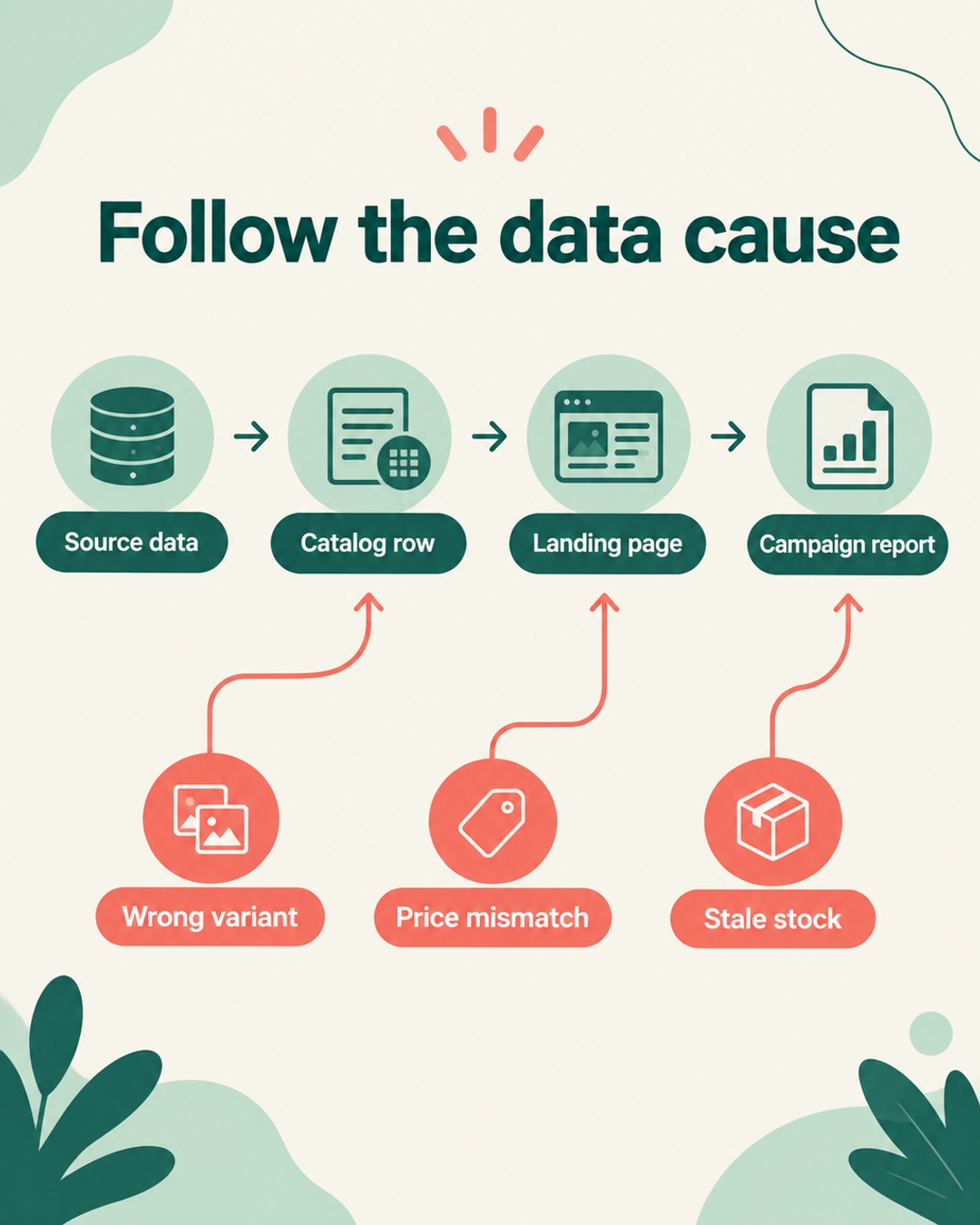
When a product campaign weakens, the bid is an easy suspect. Product data deserves a check first. A wrong variant, stale price, or unavailable SKU can change whether an item is eligible, whether shoppers click, whether they can buy, and whether the sale is attributed correctly. Those are separate states, so one campaign-level ROAS number cannot diagnose all four.
Start with the exact variant
Use the item ID or SKU exposed by the ad or order record, then trace that exact child through the feed, destination status, landing page, checkout, and measurement. A parent product can appear healthy while one color, size, or model carries a different price, image, link, or availability value. Do not treat a catalog or campaign summary as proof that every variant is accurate.
| State | Question | Evidence to compare |
|---|---|---|
| Eligibility | Can the item participate? | Destination status and required fields |
| Clicks | Did the ad attract a relevant visit? | Query, title, image, link, and variant |
| Conversion | Could the shopper buy it? | Stock, price, landing page, and checkout |
| Attribution | Did the sale map correctly? | Item ID, click, event, and order |
Eligibility comes before traffic
Eligibility is a gate, not a performance score. Google product data rules call for accurate prices and availability that match the landing page and checkout, genuine identifiers, variant data, and product images. An item may be ineligible because of data quality, policy, or account conditions. Increasing its bid does not resolve those conditions. Google's validation can identify data problems, but it cannot guarantee approval or a higher ROAS. Policy or account issues need their own remedy.
TikTok's catalog documentation describes advertising catalogs for supported markets and accounts. It lists sku_id, title, description, availability, condition, price, link, image_link, and brand as required parameters. Keep sku_id stable when updating an item. TikTok's examples use availability values with spaces, such as 'in stock' and 'out of stock'. Titles should describe the product rather than contain promotional text. Prices and stock should match the landing page, while links and images must be accessible. An optional item_group_id can group variants. These catalog rules are separate from TikTok Shop seller onboarding.
A click tests relevance, not buyability
An eligible item can still attract the wrong visit. Check whether title, image, link, and variant identity agree with the query. In a hypothetical case, an ad might name one size but open a parent page with another selection, so the click could be valid while the product expectation is not. In another hypothetical case, a generic title might attract a query for a different product type. Review the exact child, not only the campaign's click-through rate.
Conversion exposes price and stock mismatches
Conversion is a buyability check. Compare feed price and availability with the landing page and checkout for the exact variant. Price must remain consistent through the path a shopper sees. In a hypothetical case, a product could receive clicks normally while conversion falls because the feed points to an unavailable child, the page defaults to a different variant, or checkout rejects the advertised stock.
Hypothetical example: A catalog sends a blue jacket's medium variant with an available status and a lower price than checkout. The ad receives clicks. The landing page opens the small variant, and checkout shows the medium is unavailable. The campaign report can show traffic, while the product experience explains the missing orders. Changing the bid would alter traffic volume without repairing the variant mapping or stock signal.
Attribution is not conversion
A purchase may be possible and still be reported against the wrong item, source, or variant. Compare the item identity carried by the ad or feed with the analytics event and order record where those systems expose it. A missing or remapped identifier can make an item look like a conversion problem. Keep attribution review separate from feed eligibility and onsite behavior. It answers whether the sale was credited, not whether the shopper could buy.
Destination-specific checks
Use Google's product data specification as the data check. Verify price and availability at both landing page and checkout, then review genuine identifiers, variant data, images, and item status. A data fix does not override a policy or account issue, and a validation pass is not a promise of approval or ROAS.
TikTok
For TikTok catalog advertising, preserve stable sku_id values through updates and use the documented availability format. Confirm the title has no promotional text, and test every link and image. The documentation concerns advertising catalogs in supported markets and accounts. Do not use it to infer Shop seller onboarding or universal market availability.
Amazon
Amazon Listings Items accepts schema-based attributes informed by Product Type Definitions. Required and conditional fields, enums, and types depend on product type and marketplace. Initial synchronous validation may accept a submission, then asynchronous processing may report issues. Acceptance does not prove displayed content, buyability, Featured Offer, or eligibility. Use the Listings Items troubleshooting guidance to interpret later issues.
Run a pre-bid audit
Use this sequence during a feed or campaign review:
- Pin the item. Record the exact SKU, child attributes, destination, and time of the observed problem.
- Compare source and destination. Match feed title, link, image, availability, and price against the landing page and checkout.
- Check eligibility separately. Record status and error reason. Do not treat a warning, disapproval, or processing issue as a bid signal.
- Test the path. Open the exact variant, add it to cart, and verify the advertised value through checkout.
- Trace measurement. Compare item identity in the click, event, and order records where available.
- Then review bids. After the data and measurement issue is addressed, reassess auction controls using clean item-level evidence.
If a store uses a native Shopify channel, inspect its product selections, title or description controls, and error diagnostics before assuming a paid feed tool is required. Connector capabilities vary by destination and account. The installed connector may explain a selection or mapping issue, while a separate destination policy issue still needs that destination's remedy.
FAQ
Can a bid fix a wrong product variant?
A bid does not repair variant identity, price, stock, or destination status. Correct the item data first, then reassess performance with the exact SKU in view.
What should I compare when a price does not match?
Compare the exact SKU or variant, feed price, landing page price, and checkout price in the same market and currency. Check whether a discount or variant selection changes the displayed value. Keep policy and account diagnosis separate from the data comparison.
Does submission acceptance mean an Amazon listing is ready?
Initial synchronous acceptance does not establish displayed content, buyability, Featured Offer, or eligibility. Product type and marketplace determine required and conditional fields, enums, and types. Later asynchronous processing can report issues, so review those responses before judging the listing.