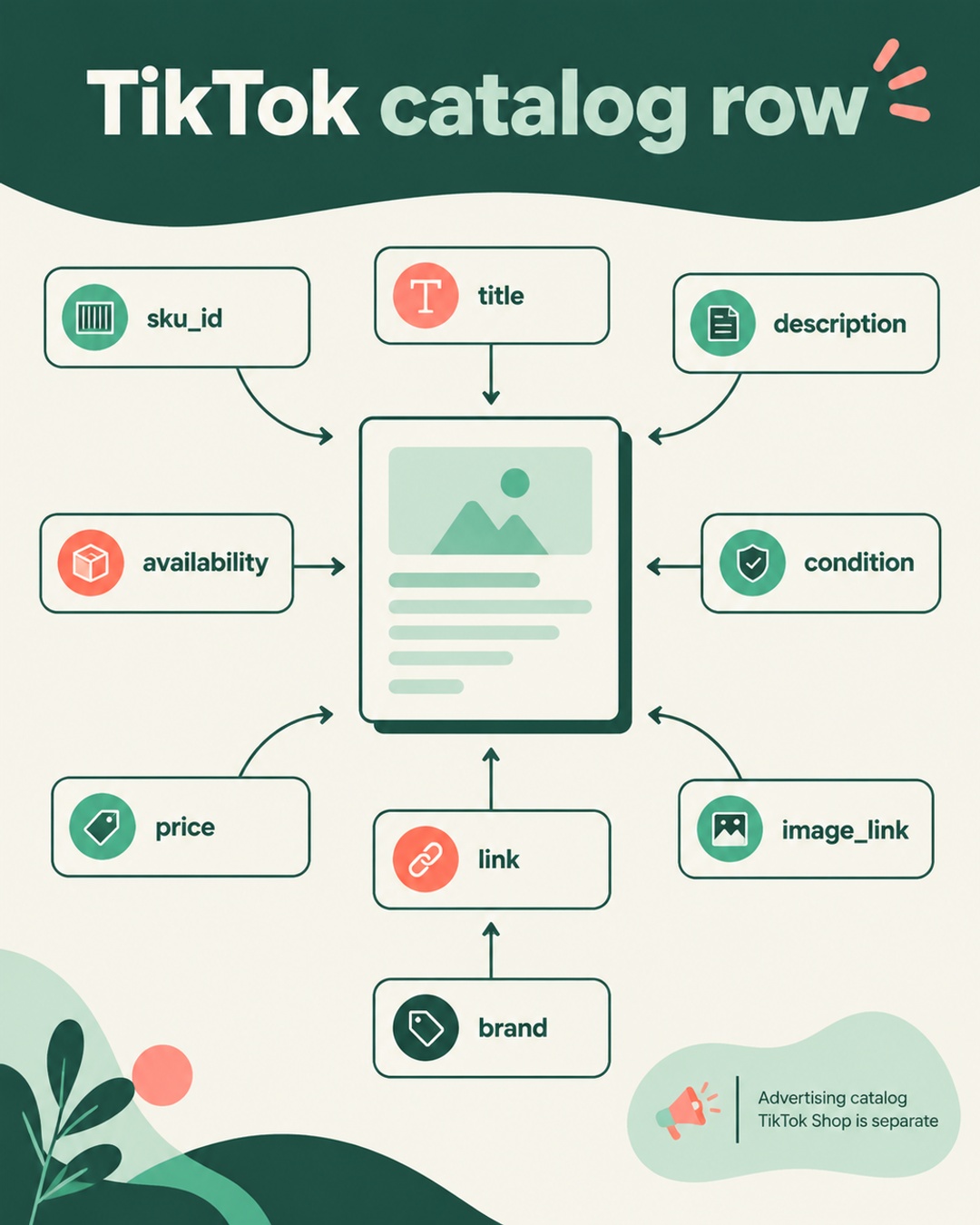
A TikTok catalog can contain familiar product data and still fail a careful review. The practical fix is a field-level preflight, not a blind copy of your Google feed. Check identifiers, text, values, prices, stock, images, and links against TikTok's own catalog parameters.
Start with the correct TikTok scope
The official TikTok catalog product parameters document describes advertising catalogs in supported markets and accounts. It should not be treated as a TikTok Shop seller onboarding guide. Those are different workflows, and the available fields or setup screens can vary by destination and account.
For this preflight, treat TikTok as its own destination. Google product data can be a useful source, but Google field names, enumerations, taxonomy values, and validation behavior do not automatically transfer. Read the TikTok documentation before mapping the output of a connector or feed exporter.
Reference the official TikTok catalog product parameters. For comparison, Google's rules are documented in its product data specification.
The field-level preflight
Use the following sequence on a sample of products before sending a full catalog. The goal is to verify what TikTok receives and what a shopper can reach, not simply whether a file exported successfully.
| Field | Check before publishing |
|---|---|
sku_id | Stable identifier that does not change during routine updates |
title | Accurate product name without promotional text |
description | Clear product information that matches the item |
availability | TikTok-accepted wording, such as in stock |
condition | Value reflects the product's actual condition |
price | Matches the product page and applicable purchase path |
link | Accessible URL for the intended product page |
image_link | Accessible product image URL that returns the expected image |
brand | Brand value matches the product and source record |
1. Stabilize the identifier
sku_id is the key to updates. A stable value lets the destination associate a later record with the existing item. Do not generate a new identifier because a title changed, a price changed, or the feed ran on a different date. If each variant is a separate sellable item, give each variant its own stable identifier.
Keep the source identifier in a controlled column and test a repeated export. The same product should produce the same sku_id on both runs. If the value changes, investigate the transformation before publishing.
2. Keep titles factual
A title should identify the product clearly. Remove discount language, urgency, shipping promises, and other promotional text. Check whether the title describes the same item as the landing page. A feed title that says one color or size while the page opens to another creates a data mismatch that a simple file check will miss.
For variants, include the distinguishing attribute when it helps identify the exact item. Keep the wording natural and product-specific. Do not copy a search-oriented title from Google without reviewing how it reads in TikTok's catalog context.
3. Verify price and availability together
Price and stock are not isolated feed values. Compare both with the landing page, and where relevant, with the purchase path a shopper will use. A row marked available should lead to a page where the item can actually be selected or purchased under the stated conditions.
TikTok availability examples use spaced values such as in stock and out of stock. Google uses its own specification and accepted values. Do not assume a Google enum, capitalization rule, or connector label is valid for TikTok. Inspect the final TikTok output rather than relying on the source column name.
4. Test access from outside your session
Open several link and image_link values in a private browser window or through a simple external request. Confirm that the product page resolves, the image returns the intended asset, and both URLs are accessible to TikTok and shoppers.
Also check redirects, expired image URLs, and pages that display a different variant from the feed. An accessible URL is part of the catalog data, not an optional convenience.
Handle variants without losing identity
item_group_id can group related variants. Use it to connect items that belong to the same product family while keeping each variant's sku_id distinct and stable. The variant record should still describe its own price, availability, image, and landing page when those values differ.
For example, imagine a hypothetical store selling a jacket in black and olive, each in three sizes. The store could assign stable IDs such as JKT-BLK-M and JKT-OLV-L. All six records could share an item group value such as JKT-01. The black medium row should carry the black image and the page state for black medium. The olive large row should carry its own values. This example is illustrative, not a claim about any store's implementation.
Review the connector before adding software
A native channel or installed connector may support product selection, title and description adjustments, and error diagnostics. That does not mean every connector supports every TikTok destination or account. Capabilities vary by connector version, market, account, and destination type.
First inspect the actual output and diagnostics available in the installed integration. Confirm whether it exposes stable identifiers, TikTok-specific availability values, image and link checks, and variant grouping. A paid tool may be unnecessary for one setup and useful for another. The decision should follow the gaps you can document.
A practical publish sequence
- Export a small sample with representative products and variants.
- Compare every column with TikTok's current parameter documentation.
- Check stable identifiers across two exports.
- Remove promotional text from titles.
- Compare price and availability with live product pages.
- Open image and landing page URLs externally.
- Confirm TikTok values instead of copying Google enums.
- Review connector diagnostics and destination-specific errors.
- Publish the larger catalog only after the sample is explainable.
Keep a dated copy of the mapping and the sample results. When an item later shows an error, you can compare the source record, transformed value, destination output, and live page without guessing.
What this validation cannot prove
A successful file submission does not guarantee approval, delivery to every eligible placement, higher return on ad spend, or a particular commercial result. Data quality can affect eligibility, but validation alone cannot guarantee approval or performance. Policy, account, market, and destination issues may require a separate remedy.
Frequently asked questions
Should I copy my Google feed into TikTok?
Use it as a source for product data, not as an unchanged TikTok output. Review field names, accepted values, titles, identifiers, price, availability, links, and images against TikTok's current catalog parameters.
Why must sku_id remain stable?
A stable sku_id is required for updates to the intended catalog item. Changing it during routine updates can create a new identity instead of updating the intended record.
What should I test before a full publish?
Test a representative sample. Confirm stable IDs, factual titles, TikTok availability values, matching price and stock, accessible image and landing page URLs, and correct variant grouping. Then review any connector diagnostics before expanding the upload.
Official references: TikTok catalog parameters and Google product data specification.