Why Your Shopify Feed Isn't Syncing to Google (And Which Layer Is Actually Broken)
M
Muhammad Norafif
Oct 7, 202616 min read
TL;DR
"Not syncing" collapses at least three real states — transport, freshness, and processing — plus a fourth that is not a sync problem at all: item-level eligibility. A fetch can succeed while the data is stale. A submission can be accepted while products stay pending. A product can be fully processed and still not eligible. Diagnose one real affected product by exact SKU or variant, in this order: source value, exported feed value, the value Merchant Center reports, the live landing page, then checkout. Each mismatch in that chain points at a different layer. Editing the wrong layer moves nothing. Separate "the file never arrived" from "the file arrived with old data" using the timestamp distinction: fetch time versus file generation time. Item-level disapproval is not a sync problem. The product synced; it was then judged. Separate owner, separate fix. Nothing in this article guarantees
In this insight:
"Not syncing" collapses at least three real states — transport, freshness, and processing — plus a fourth that is not a sync problem at all: item-level eligibility.
A fetch can succeed while the data is stale. A submission can be accepted while products stay pending. A product can be fully processed and still not eligible.
Diagnose one real affected product by exact SKU or variant, in this order: source value, exported feed value, the value Merchant Center reports, the live landing page, then checkout.
Each mismatch in that chain points at a different layer. Editing the wrong layer moves nothing.
Separate "the file never arrived" from "the file arrived with old data" using the timestamp distinction: fetch time versus file generation time.
Item-level disapproval is not a sync problem. The product synced; it was then judged. Separate owner, separate fix.
Nothing in this article guarantees approval, syncing, eligibility, or display. The work here is diagnosis; the destination is the only authority on its own state.
"My Shopify feed isn't syncing to Google Merchant Center." It is the most common sentence in feed support, and it is almost never true as written. What merchants actually have is one of several genuinely different failures, described with the same four words: an export that stopped running, a connection whose credentials expired and is quietly re-serving an old snapshot, a fetch schedule that is working exactly as configured but not as the merchant assumed, a file that is being downloaded on time but not regenerated, processing lag that looks like a stuck sync, or a product that synced perfectly and was then independently disapproved for a data or policy reason. These have different owners, different evidence, and different fixes. You cannot fix the right one until you stop treating them as the same complaint.
## TL;DR
- "Not syncing" collapses at least three real states — **transport**, **freshness**, and **processing** — plus a fourth that is not a sync problem at all: item-level eligibility.
- A fetch can succeed while the data is stale. A submission can be accepted while products stay **pending**. A product can be fully processed and still **not eligible**.
- Diagnose **one real affected product** by exact SKU or variant, in this order: source value, exported feed value, the value Merchant Center reports, the live landing page, then checkout.
- Each mismatch in that chain points at a different layer. Editing the wrong layer moves nothing.
- Separate "the file never arrived" from "the file arrived with old data" using the timestamp distinction: fetch time versus file generation time.
- **Item-level disapproval is not a sync problem.** The product synced; it was then judged. Separate owner, separate fix.
- Nothing in this article guarantees approval, syncing, eligibility, or display. The work here is diagnosis; the destination is the only authority on its own state.
## Why "not syncing" is the wrong problem statement
Google Merchant Center does not tell you "your sync is broken." It tells you a set of discrete facts, each of which lives in a different place: whether a data source was fetched, what the last upload's processing status was, how many items were created or updated, and the per-product status and item-level issues that came out the other end. The Merchant API exposes these as separate resources — a file-upload record with a processing state and a count, and a product status with destination statuses and issue lists. That separation is the whole diagnosis. The platform is already answering in layers. The mistake is to read all of it as one word.
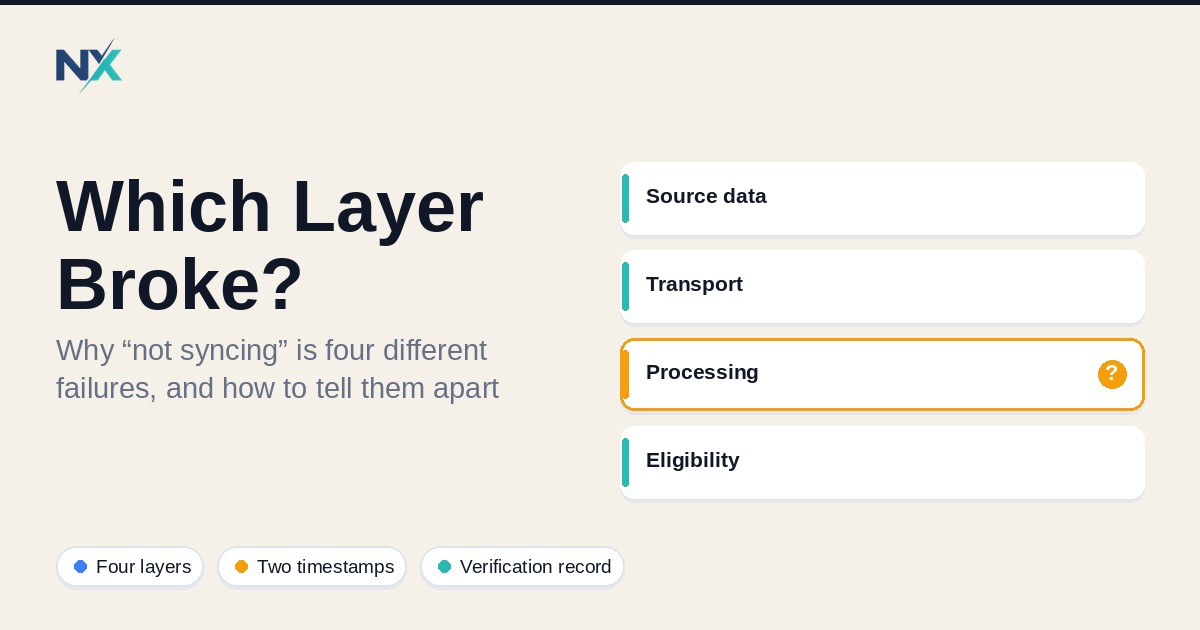
There are four layers, and they are genuinely independent:
**Transport.** Did the data physically reach Merchant Center? This is a question about the fetch: did Google's scheduled fetch retrieve your file, over a supported protocol, from a URL that returns the file itself, or did it fail?
**Freshness.** If the data arrived, was it current when it arrived? A file can be fetched successfully and contain values from three weeks ago. Transport succeeding says nothing about the age of the contents.
**Processing.** After arrival, Merchant Center ingests the file, validates it, and builds the processed product. The upload can succeed while individual rows carry issues, and the processed state lags the submitted state by design. Google documents a processing delay, typically a few minutes, between when product data is submitted and when it is reflected in the final processed product. On first submission there is also an initial policy review that can hold products in a "pending" state.
**Eligibility.** Even a fully processed product is separately approved or disapproved per destination. Price and availability can mismatch the landing page, a required attribute can be missing, a policy can apply. None of this is a sync failure, and none of it is fixed by working on the sync.
Treat these as four different states. A fetch can succeed while the data is stale. A submission can be accepted while products stay pending. A product can be processed and still not eligible. Only the destination can tell you which one you are in.
## The isolation sequence: one product, five values
Do not diagnose your catalog. Diagnose one product. Pick a single genuinely affected item, identify the exact Shopify SKU or variant ID, and walk the same value through five places, in this order. The first place it diverges tells you which layer is broken.
**1. The source value.** Open the product in the platform that owns the value — in Shopify, the product or variant record itself. What does the source say the title, price, availability, GTIN, and landing URL are right now? This is the source of truth for the value, and it is the first thing to confirm before you look at any export.
**2. The exported feed value.** Pull the exact row for that SKU out of the file your connector generated, or out of the connector's preview if it exposes one. This is what you are actually asking Google to read. If step 2 disagrees with step 1, the problem is in the export layer: a mapping, a filter, a rule, or an export that has not run. Nothing downstream can be correct.
**3. The value Merchant Center reports.** Search the product in Merchant Center by the same ID value your feed uses, and read the processed product — its status, its destination status, and its item-level issues. If step 3 disagrees with step 2, the problem is at the transport or processing boundary: the file that reached Google is not the file you think you sent, or it has not finished processing. If step 3 shows an item-level issue, you have left the sync problem entirely and entered the eligibility problem.
**4. The live landing page.** Open the product URL exactly as the feed submits it, from a clean browser session in the target country. Compare price and availability as an anonymous crawler would see them. Googlebot crawls the landing page and compares it against your submitted attribute, and it reads the HTML the server returns — if the price is injected dynamically after page load, the crawler may miss the final value. A mismatch between the feed and this page is the classic disapproval trigger and it is not a sync fault.
**5. The checkout.** Continue into the cart and checkout far enough to confirm the product is actually purchasable and deliverable at the price the feed claims. Google documents availability mismatches that appear only at checkout — an item shown in stock on the landing page that becomes unavailable once added to cart — and treats the landing page, checkout, and data source as all needing to agree.
The point of the order is that it is monotonic: each verification only makes sense once the one before it passes. If step 2 is wrong, stop and fix the export; anything you see at step 4 is downstream noise. If step 2 is right and step 3 is wrong, stop and investigate transport or processing. Debugging in this order is what prevents the common waste of rewriting product descriptions to fix what is actually an expired connector token.
## Reading the two timestamps
The single most useful distinction in feed diagnosis is why you must never read the fetch time as the generation time. There are two timestamps, and they answer two different questions.
The **fetch or download time** is when Google retrieved your file. Merchant Center shows this in the data source's "Latest update" area, and the Merchant API returns an upload timestamp on the file-upload record. It answers: did transport happen, and when?
The **generation time** is when your file's contents were actually produced. This is something you control and serve: the file's last-modified metadata on your server, or a build timestamp your generator writes into or alongside the file. It answers: how fresh is what got fetched?
"Not syncing" usually means one of these two, and the pair tells you which:
- **No fetch record, or a failed fetch.** The file never arrived. Transport is broken. Look at the fetch URL, the protocol, authentication, and whether the endpoint is returning the file at all. Note that a scheduled fetch URL must point directly at the data file; pointing it at an HTML page causes processing to fail.
- **Fetch succeeded, generation time is old.** The file arrived carrying stale data. Transport is fine. The problem is upstream: the export did not run, the connector re-served a cached snapshot, or the file on the server was not regenerated before Google's next fetch.
That second case is the one that burns people, because the fetch log looks healthy. Everything is "working" while the catalog is quietly frozen at the last good generation. This is also why a fixed fetch schedule you did not align to your own regeneration can look like a sync failure when it is only a cadence mismatch: your store changes at 2 p.m.; your file regenerates at 6 a.m.; Google fetches daily at 3 a.m. Each of those is functioning exactly as configured.
## Verification record
Keep a written record per incident. The house pattern is three columns: the check you performed, the evidence it produced, and the owner of that layer. The owner is the point — it routes the fix to the person or system that can actually change the value.
| Check | Evidence | Owner |
|---|---|---|
| Source value for the SKU (title, price, availability, GTIN, URL) | Screenshot or export of the product record, with timestamp | Store / merchandising |
| Exported feed row for the SKU | The exact line or API payload, plus a hash or saved copy | Feed / integration (connector or export job) |
| Last upload status for the data source | Processing state, items created/updated, upload time | Feed / integration |
| File generation time vs fetch time | Server last-modified or build timestamp; fetch log | Feed / integration + hosting |
| Processed product status in Merchant Center | Destination status (approved / pending / disapproved) and countries | Merchant Center account owner |
| Item-level issues on the product | Issue code, severity, affected attribute, documentation link | Merchant Center account owner |
| Landing page values as an anonymous crawler sees them | Fresh private-session screenshot, target-country, matching feed URL | Store / web |
| Checkout values | Cart/checkout screenshot at the point of purchase | Store / web |
Two disciplines make the table worth keeping. First, timestamp every piece of evidence — an undated screenshot proves nothing about a moving target. Second, name one owner per layer, not a team, because "someone should check the feed" is how the same incident recurs next month.
## The common real causes, each tied to its layer
**Source export not running (source / integration layer).** The value is correct in the source and wrong or absent in the export. The export job failed, was disabled, or a mapping change removed the field. Evidence: source value correct, exported value missing or wrong. Fix at the export, not at Google.
**Connector credentials expired, returning a stale snapshot (transport / freshness layer).** The export appears to run, but the connection to the platform is re-authenticating into a cached or last-good payload. The feed file keeps being served — and fetched — with data frozen at the last successful connection. Evidence: fetch succeeds, generation time is old, and the values match a past state. The fix is reauthorizing the connection and confirming the next generation actually changes the file.
**Fetch cadence versus expectation (freshness layer).** Merchant Center data sources can be scheduled to fetch daily, weekly, or monthly, with configurable timing, and the time zone defaults to UTC. A merchant who changes a price and expects it live within the hour is describing an expectation, not a fault, if the schedule is weekly. Evidence: fetch succeeded on schedule; the change simply postdates the last fetch. The fix is either aligning the schedule to your change velocity or updating product data through the Products API for frequent, item-level changes.
**File served but not re-generated (freshness layer).** The host is serving a valid file on time, but nothing rebuilds its contents. This often follows a deploy or a cron that stopped. Evidence: fetch time current, generation time stale, byte-for-byte identical file across fetches. Fix the generator, then confirm the next fetch pulls a different file.
**Processing lag (processing layer).** The file arrived, is current, and validated, but the processed product has not caught up. Google documents a short processing delay between submission and the final processed product, and reprocessing a full data source can take a meaningful amount of time depending on its size. Evidence: recent successful upload, items processed increasing, product still mid-transition. The fix is patience and re-checking, not resubmission — repeated forced fetches have low quota limits and can slow things further.
**Item-level disapproval (eligibility layer — not a sync problem).** The product synced, was processed, and was then disapproved for a data or policy reason: a price or availability mismatch with the landing page, a missing required attribute, a restricted category. Evidence: the product exists and is processed in Merchant Center, with a specific item-level issue and affected attribute. The sync worked. Treating this as a sync failure is the most common way merchants spend a day fixing the wrong thing.
## When it is genuinely a source problem
The problem is at the source when the value is wrong or stale *before it ever leaves your stack*. The tell is step 1 versus step 2 in the isolation sequence: the source is right and the export is wrong, or both are right and the generation time is old. Fixes live in the export job, the connector's field mapping, the authentication to the platform, or the schedule that regenerates the file. Nothing you change in Merchant Center will help, because Merchant Center is faithfully reading what you gave it.
A specific caution: do not "fix" source data by editing the last file on the server. The next fetch and the next regeneration will overwrite it, and you will have created a value that no system owns. Fix the source that owns the value, then let the export and generation run.
## When it is genuinely a destination problem
The problem is at the destination when your export and generation are correct and current, and Merchant Center still reports something different. The tell is step 2 versus step 3: the exported value and the reported value disagree, with a current fetch and a current generation time. This is where transport, processing, and eligibility live — and they are three different investigations. Check the last upload's processing state first (failed, in progress, or succeeded), then the processed product's status, then its item-level issues. A "pending" product is not a sync failure; it is awaiting processing or review, and the documented initial review window for Shopping ads runs into business days.
## When it is the account or policy layer
Some failures are neither source nor feed: they sit at the account level and affect every product at once. A price or availability pattern across many SKUs, a website or checkout problem, or a policy issue can produce account-level warnings or suspension, and when the account is suspended, products stop showing regardless of how clean the feed is. The tell is breadth: a single well-mapped SKU is fine, but large groups move together, and the fix is not in the feed. This is also where you should separate what you can verify from what you cannot — Google does not always enumerate the specific trigger, so the honest move is to fix everything verifiable and request review, not to assert a cause you cannot prove. A widely repeated community claim holds that changing your feed host or target country triggers a months-long cooldown; treat that as an unverified community claim. Every claim in this article that is not sourced to official documentation should be read as a pattern, not a guarantee. Verify against current official documentation before you rely on any of it.
## FAQ
**My Shopify changes aren't showing in Merchant Center. Is my feed broken?**
Not necessarily. In the Google & YouTube setup, initial syncing can take up to 24 hours, and after that changes typically sync within a few hours — and Google applies a 30-day expiry that the channel refreshes within. If your change is minutes old, you may be looking at cadence, not a fault. Confirm the change reached the exported feed before you blame the connection.
**How do I tell "it never arrived" from "it arrived stale"?**
Compare timestamps. Look at the fetch/upload time for the data source and at the generation time of the file your server actually served. No fetch or a failed fetch means transport. A successful fetch with an old generation time means the file arrived carrying stale data.
**Merchant Center says my product is "pending." Is that a sync failure?**
No. Pending is a processing or review state. On first submission, products remain pending while the account, website, and product data go through initial review; continuing to change data during that window can extend it. Wait and re-check rather than resubmitting.
**My product synced but still isn't showing. What now?**
You have left the sync problem. A processed, approved-but-limited or disapproved product with item-level issues is an eligibility problem — a mismatch, a missing attribute, or a policy. Read the specific item-level issue and its affected attribute; the fix is in the data or the landing page, not the sync.
**Should I just re-run the fetch?**
Only if the evidence points at a stale file. Forced fetches are rate-limited and reprocessing a full source can take a while, so repeated triggering can slow recovery. Fix the generation first, then trigger once to confirm.
**Is this the same as on other channels?**
The layers are the same everywhere — transport, freshness, processing, eligibility — but the names, cadences, and statuses differ per destination. Diagnose at the destination you are actually looking at, against that destination's current documentation.
## Keywords
Shopify feed not syncing, Google Merchant Center sync, product feed troubleshooting, feed freshness vs processing, scheduled fetch, Merchant Center pending product, item-level disapproval, feed verification record, feed management
## Editorial note
Written by the NextFeed team. NextFeed builds product feed management software for Shopify, Google Shopping, Meta, and other commerce channels. This article describes how feed delivery and product states are documented by Google Merchant Center and the Google & YouTube channel on Shopify, and it does not guarantee approval, eligibility, syncing, or display — those outcomes depend on destination rules, account conditions, and factors outside a feed's control. Verify requirements against the current official documentation for the destination you operate.
Free tool
Not sure if your feed has errors?
Run your Google Shopping, Meta, or TikTok product feed through our free validator and get a prioritized error report before channels reject your products.
Shopify feed not syncingGoogle Merchant Center syncproduct feed troubleshootingfeed freshness vs processingscheduled fetchMerchant Center pending productitem-level disapprovalfeed verification recordfeed management
Editorial note
Written by Muhammad Norafif
This article was published on October 7, 2026 and last updated on October 7, 2026. NextFeed builds product feed management software for Shopify, Google Shopping, Meta, and other commerce channels.